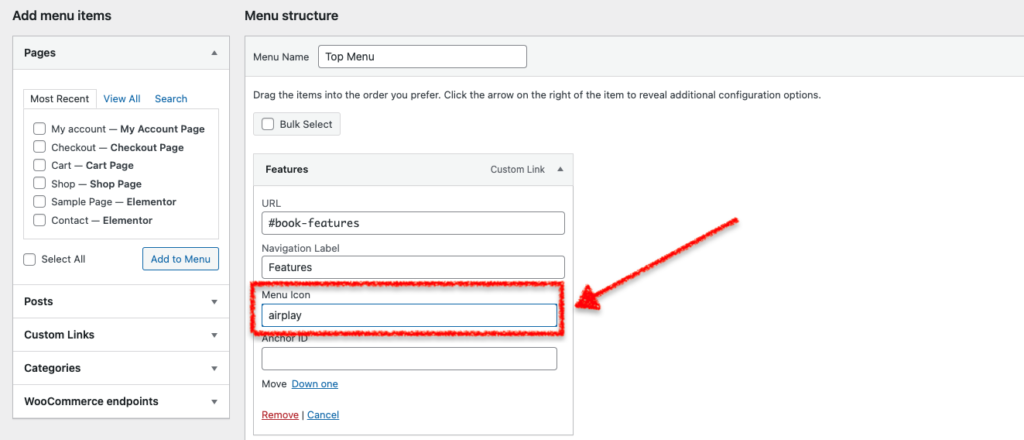
To add icons before navigation menu items, follow these steps:
- Go to Appearance » Menus and click on a menu item to dropdown it’s options
- In a new browser tab, open Uniicons website, and choose your preferred icon
- Add the name (only) of the chosen icon to the Menu Icon field (for example:
airplay) - Add icons to other menu items (if you need) then click Save Menu