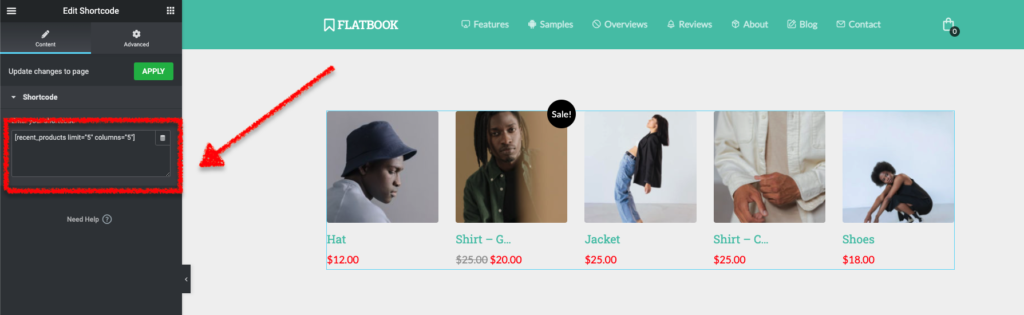
To create a WooCommerce section within the Elementor builder (for example a section with Featured Products), you will have to use the WooCommerce’s default shortcodes.
Product shortcodes
With the products shortcode, you can display a short list of filtered product items, for example:
[featured_products]– displays products marked as “Featured”[sale_products]– displays the products on sale[best_selling_products]– displays your best selling products[recent_products]– displays the most recent products[top_rated_products]– displays products with the best rating
Product attributes
Besides the base product shortcode above, you can add attributes to them, for example:
limit– the number of products to displaycolumns– the number of columns to displaypaginate– toggles pagination on if addedcategory– comma-separated list of category slugstag– comma-separated list of tag slugs
Note: There are many more attributes, please read the shortcodes documentation for more.
Example
Let’s say, you would like to display the latest products in a 5 columns grid with a maximum of 5 items.
- Open the selected page with Elementor
- Add a Shortcode widget to the desired area
- Add the following shortcode:
[recent_products limit="5" columns="5"] - Click Apply then Update to save.