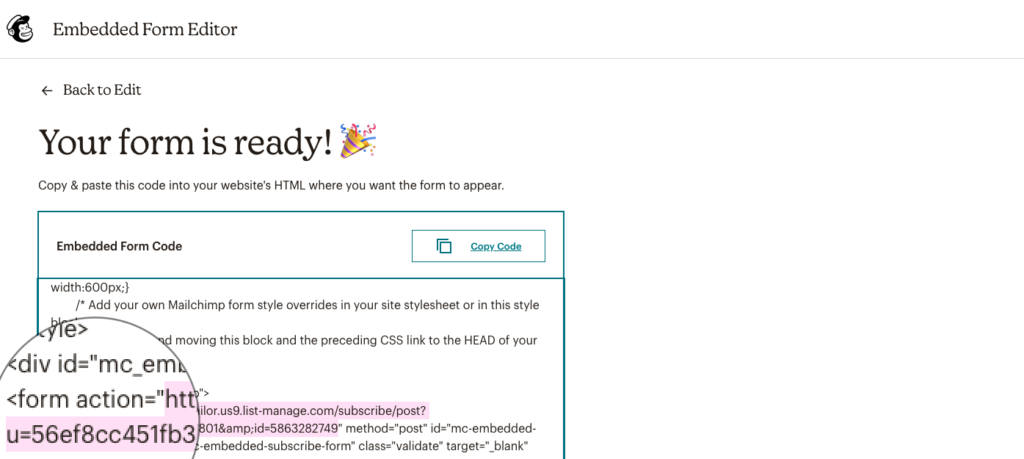
The theme features a MailChimp newsletter signup form, located in the subscribe footer bar. To get it work, you need to get your custom MailChimp URL, here is how to do that:
- Create a new MailChimp account, or log in to your existing one
- On the start page, select Audience from the left sidebar and click on Signup forms
- Select the Embedded forms option
- In the upcoming page, leave everything as it is, and click on Continue button
- Now your embedding code will present. Scroll it down until you find the
<form>tag - Your MailChimp URL is the link inside the
action="..."attribute, between the parenthenses - Enter your custom link to Customizer » Footer » Subscribe in the MailChimp URL field.