Finally, there are a few settings came with the WordPress installion by default, what needs to be changed before you can start customizing your website. These are already set by default, but if something doesn’t looks as expected after your demo content import, here’s how to troubleshoot it:
Permalink Structure
- Navigate to Settings > Permalinks
- Select the Post Name option from the list and hit Save Changes.
Front Page Displays
- Navigate to Settings > Reading
- Set the Front Page Displays option to a Static Page
- Select Home for Front Page, and Blog for Posts Page and hit Save Changes.
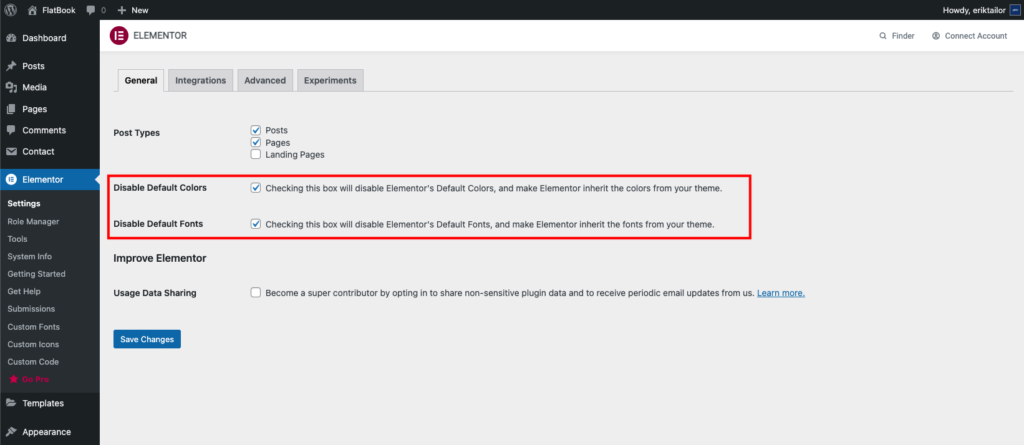
Disable Default Styles
- Navigate to Elementor > Settings
- Check the Disable Default Colors and Disable Default Fonts checkbox and hit Save Changes.